Screenshot
AppExchange Certified  |  100% Native Salesforce  |  5 Star Rated  |  Salesforce to Azure Blob Storage
Paid App AppExchange Certified 100% Native Salesforce

Upload Salesforce Files
to Azure Blob Storage
Seamlessly.

Drag, drop and upload files directly from any Salesforce record to Azure Blob Storage. Migrate existing files in bulk, sync in real time, delete and download from Azure - all without leaving Salesforce.

5-Star Rated
AppExchange Certified
Fortune 500 Clients
Fast, Secure & 100% Native
Azure
Blob Storage Integration
Azure Integration - Salesforce
Azure Integration App - Upload Files from Salesforce to Azure Blob Storage
★★★★★
5★ on AppExchange
5
AppExchange Rating
100+
Countries Served
Fortune
500 Clients Served
2012
Serving Since
5
Powerful Add-Ons
12+
Industries Served
100%
Native Force.com
0
3rd-Party Servers
Our Clients

Trusted by Teams Already Using Azure Integration

A growing list of organisations across industries rely on Azure Integration to move their Salesforce files to Azure Blob Storage securely and at scale.

Brother
Home Advantage
Netcompany

More clients added as the app grows. Be among the first to integrate Salesforce with Azure Blob Storage.

Trusted Across Industries

Salesforce Teams in Every Sector

Azure Integration powers file management across 12+ industries - from Healthcare and Financial Services to Manufacturing and Government.

Healthcare
Patient records, imaging files, clinical docs to Azure
Financial Services
Compliance docs, contracts, audit files in Azure
Education
Course materials, student records, research assets
Manufacturing
CAD files, specs, quality docs to Azure Blob
Retail
Product assets, vendor files, invoice storage
Professional Services
Proposals, reports, client deliverables
Government
Policy docs, citizen records, forms to Azure
Nonprofit
Program files, grant docs, donor records
Energy & Utilities
Field reports, compliance, asset documentation
Technology & SaaS
Dev docs, release files, support assets
Logistics
Shipping docs, manifests, carrier files
Construction
Blueprints, contracts, project files
Healthcare
Patient records, imaging files, clinical docs to Azure
Financial Services
Compliance docs, contracts, audit files in Azure
Education
Course materials, student records, research assets
Manufacturing
CAD files, specs, quality docs to Azure Blob
Retail
Product assets, vendor files, invoice storage
Professional Services
Proposals, reports, client deliverables
Salesforce Products

Works Across Every Salesforce Cloud

Azure Integration works natively across every major Salesforce product - wherever files live, move them to Azure.

☁️ Sales Cloud 🤝 Service Cloud 📋 Marketing Cloud 💲 Account Engagement 🌐 Experience Cloud ❤️ Nonprofits 🏥 Health Cloud 🏛️ Government Cloud 📚 Education Cloud
Key Highlights

Everything You Need to
Bridge Salesforce and Azure

From drag-and-drop uploads to real-time migration - complete control over Salesforce to Azure Blob Storage.

📤

Drag-Drop Upload to Azure

Upload files directly from any Salesforce record to Azure Blob Storage with a simple drag and drop. No scripts, no exports - just click and upload.

📄

Cloud Document Field Update

Automatically update Salesforce fields when a file uploads to Azure. Track Cloud Document URLs, metadata and file references directly on your records.

Upload Success Table

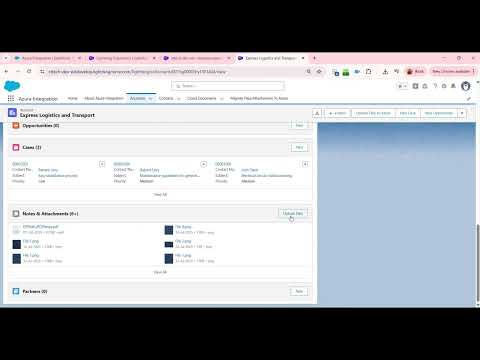
See a clear post-upload confirmation table showing every uploaded file, its Azure path, status and timestamp - full visibility after every operation.

📁

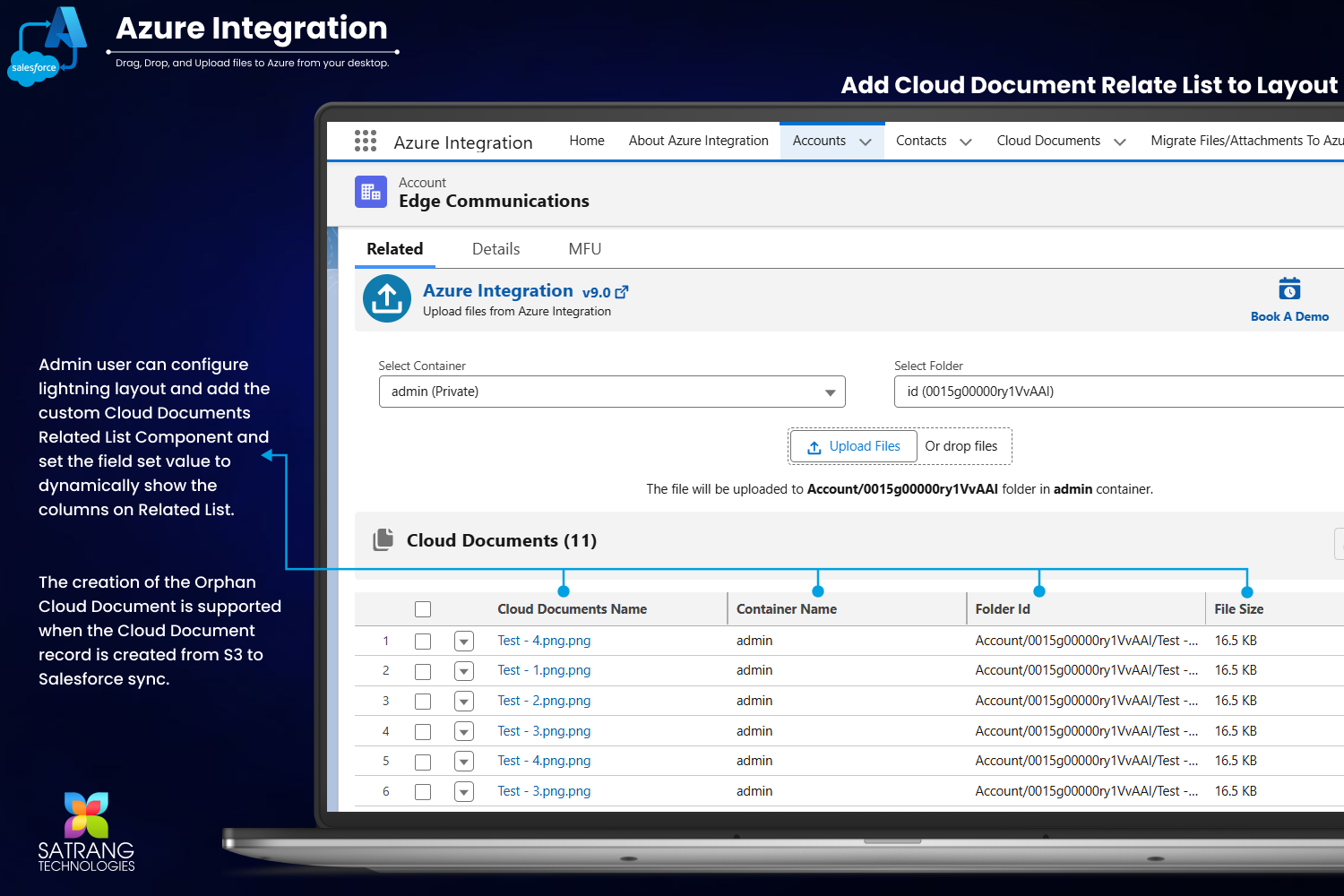
Cloud Document Related List

View all Azure-linked Cloud Documents directly on Salesforce record pages. Browse, open and manage Azure files without ever leaving Salesforce.

📥

Download Azure Files in One Go

Download all files stored in Azure directly from Salesforce. Bulk download into organized folders without navigating the Azure portal separately.

🗑

Bulk Delete Azure Files

Effortlessly delete Azure files in bulk directly from Salesforce. Clean up stale files, manage storage costs and maintain organized containers with ease.

🔎

View Files in Azure Portal

Jump directly to view uploaded files in the Azure portal from within Salesforce. Every upload includes a direct Azure link for instant access and verification.

🌐

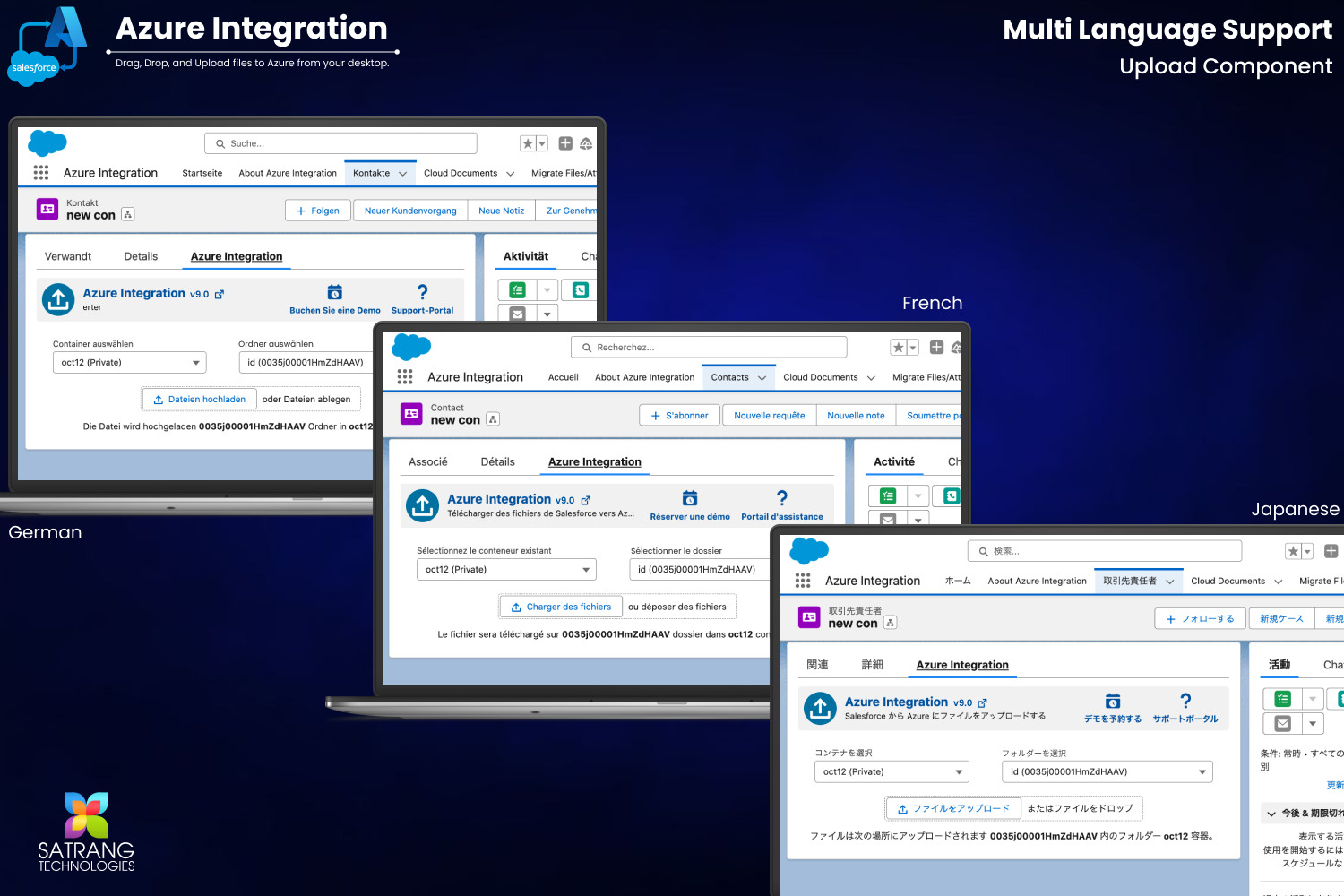
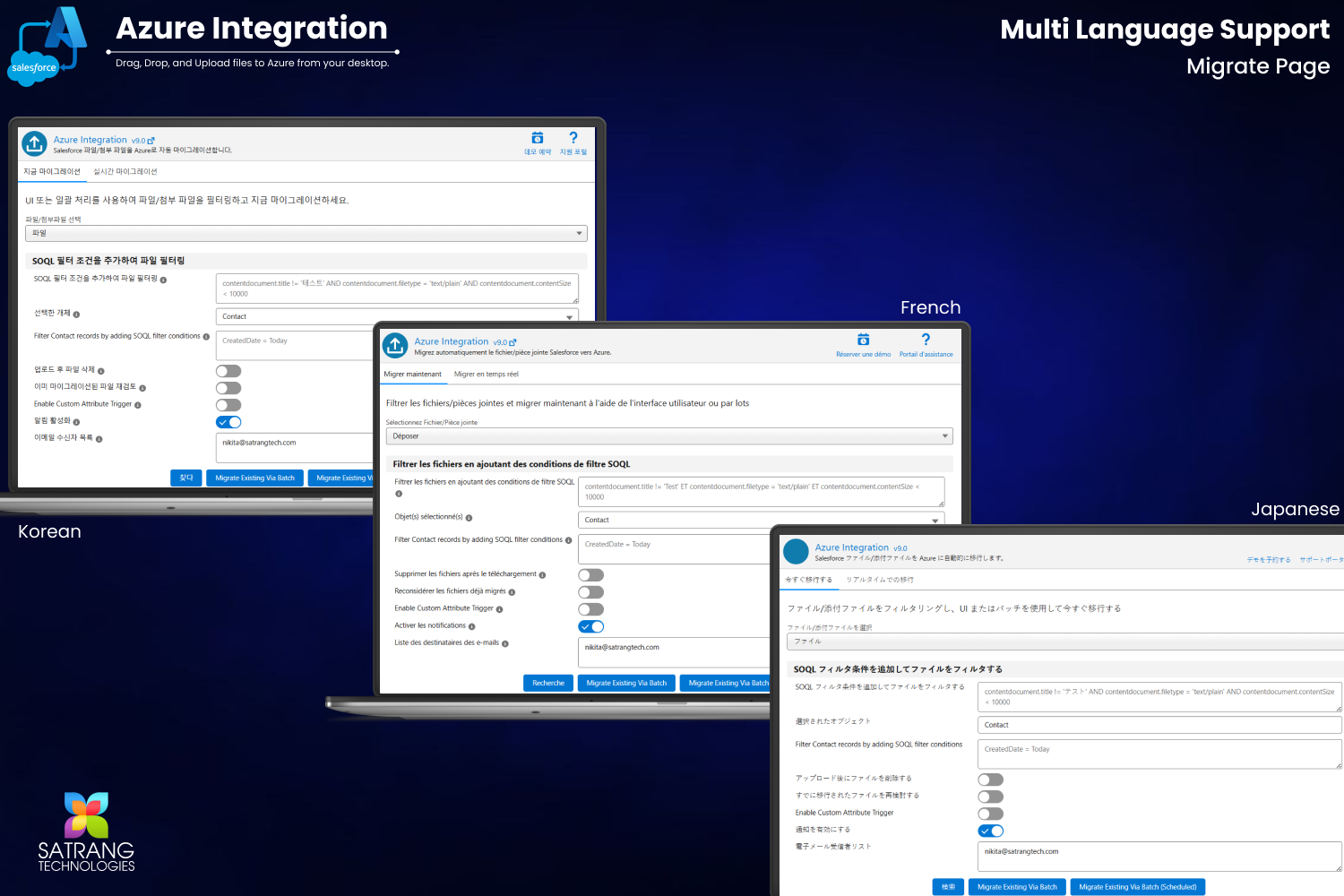
Multi-Language Support

Full multi-language support for global Salesforce teams. The upload component and migration pages are available in multiple languages out of the box.

How It Works

Connect Salesforce to Azure in 3 Steps

Azure Integration is a 100% point-and-click Salesforce native app. No developers needed, no third-party server connections. Your Salesforce data travels directly to your own Azure Blob Storage container - nobody else touches it.

1

Configure Your Azure Connection

Enter your Azure Storage Account name, Account Key and Container name in the app's configuration settings. Connection is saved securely in your Salesforce org.

2

Upload, Migrate or Sync Files

Drag and drop files from any Salesforce record page, run a batch migration of existing files, or enable real-time auto-migration for newly uploaded files.

3

Manage from Salesforce

View, download or delete Azure files directly from Salesforce record pages. Cloud Document records are automatically created and linked for full traceability.

Supported Operations

📤 Drag and Drop Upload

Upload files from any Salesforce record directly to Azure Blob Storage. Select your container, optionally map to a folder, and upload in one click.

📥 Download from Azure

Download all Azure files linked to a Salesforce record directly from the record page. No need to open the Azure portal separately.

🗑 Bulk Delete Azure Files

Select and delete multiple Azure files in bulk from within Salesforce. Keep your storage organized and control costs without leaving your CRM.

📋 Cloud Document Record Creation

Every upload automatically creates a Salesforce Cloud Document record, linking the file, its Azure URL and metadata back to the original Salesforce record.

🔎 View in Azure Portal

Open any uploaded file directly in the Azure portal from the Cloud Document record in Salesforce. One-click verification of your Azure storage.

Comparison

Why Azure Integration vs Alternatives?

Custom API integrations, middleware platforms and manual exports require significant developer effort, introduce third-party risk, and lack the native Salesforce experience your team needs. Azure Integration is the only complete, native, no-code Salesforce to Azure Blob Storage solution.

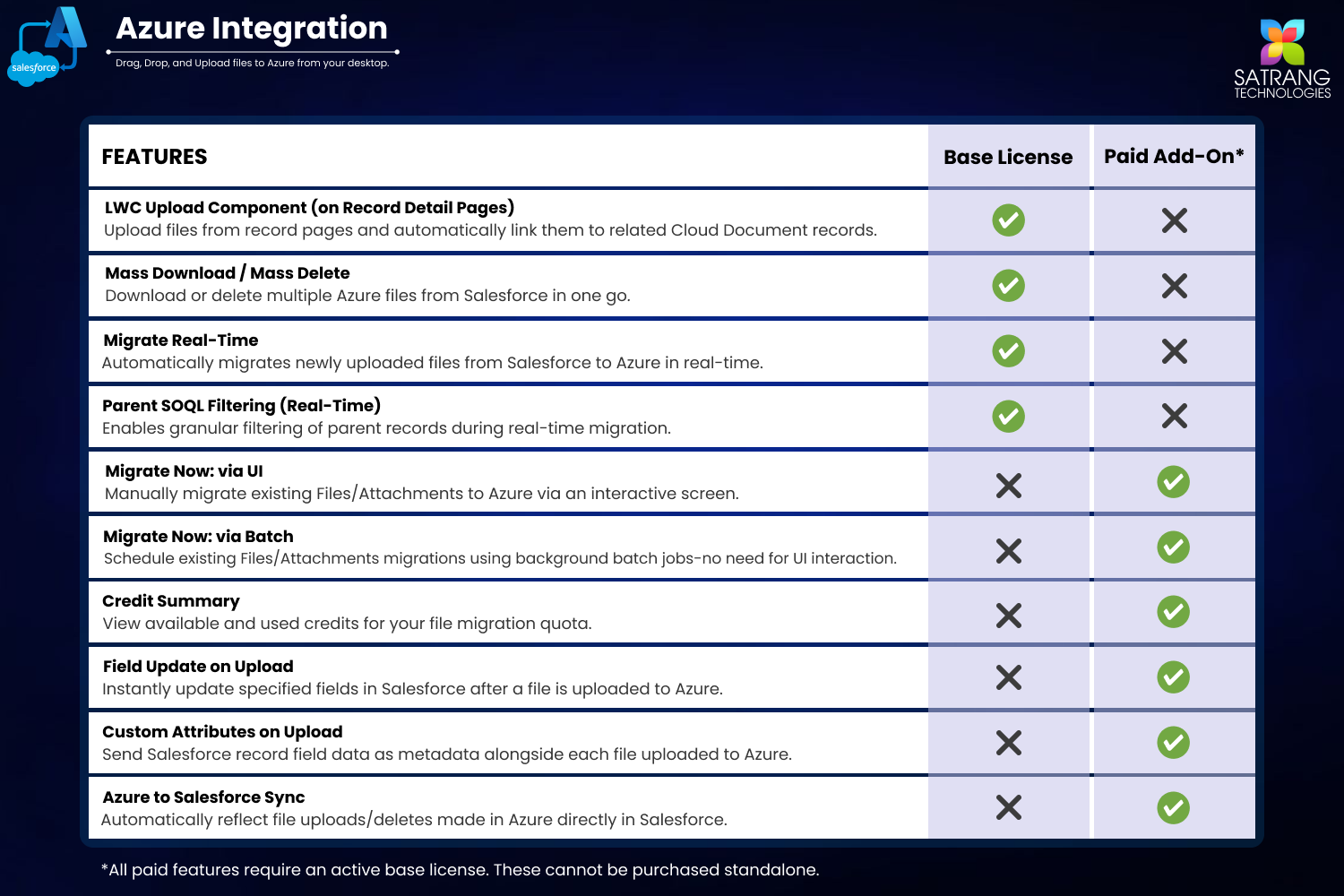
Capability Azure Integration Custom API Dev MuleSoft / Boomi Manual Export
100% Native Salesforce Yes No No No
No Developer Required Yes No No Partial
Drag-Drop Upload from Record Yes No No No
Bulk Migrate Existing Files Yes (Add-On) Build it Complex setup No
Real-Time Auto Migration Yes (Add-On) Build it Complex No
Azure to Salesforce Sync Yes (Add-On) Build it Complex No
Container and Folder Mapping Yes Build it Configure No
No Third-Party Server Yes Often No No Yes
Screenshots

See It in Action

Every screen you need - from the upload component to migration, sync and the About tab.

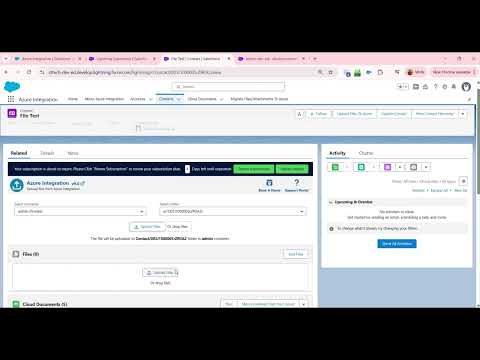
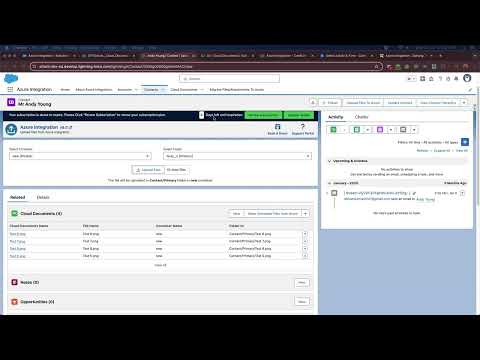
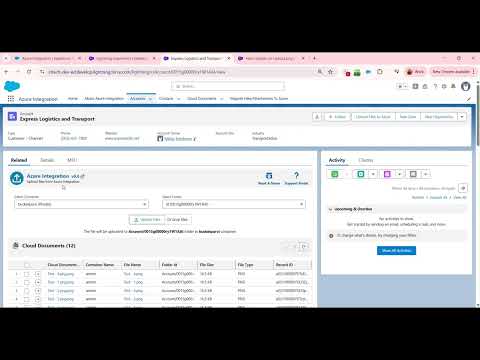
Drag and Drop Upload to Azure from Salesforce
Drag-Drop Upload to Azure
Cloud Document Field Update on Upload
Cloud Document Field Update
Update Cloud Document Field
Field Update After Upload
Successful Upload Table
Upload Success Table
Upload Confirmation
Upload Confirmation
Cloud Document Related List on Layout
Cloud Document Related List
Automated Cloud Document Record Creation
Automated Record Creation
Download All Azure Files in One Go
Download Azure Files
Bulk Delete Azure Files from Salesforce
Bulk Delete Azure Files
View Uploaded Files in Azure
View Files in Azure Portal
About Tab Azure Integration App
About Tab
Migrate Files and Attachments to Azure
Migrate Files to Azure
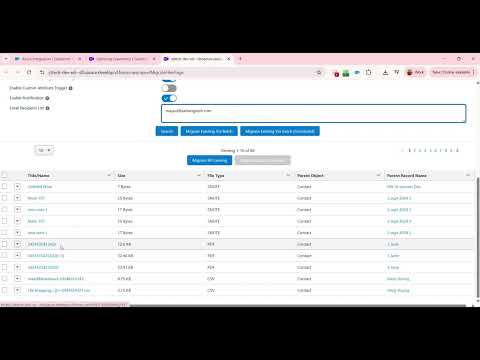
Migrate Existing Salesforce Files to Azure Now
Migrate Existing Files (1)
Batch Migration to Azure
Batch Migration View
Migration Progress to Azure
Migration Progress
Real-Time Migration to Azure
Real-Time Migration
Container and Folder Mapping
Container Mapping (1)
Azure Folder Mapping
Folder Mapping
Azure to Salesforce Sync
Credit Summary
Credit Summary
Multi-Language Upload Component
Multi-Language Upload
Multi-Language Migrate Page
Multi-Language Migrate
Book a Demo and Support Portal
Book Demo and Support
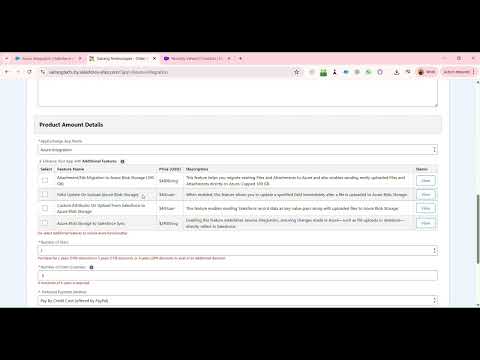
Additional Features Overview
Additional Features
Videos

Watch Azure Integration in Action

Full product demo, feature walkthroughs and pricing - everything to evaluate Azure Integration.

Ready to Move Your Salesforce Files to Azure?

Try free in Sandbox or Production. 100% native - files go directly to your Azure Blob Storage. Zero third-party servers.

Pricing

Simple Per-User Base License.
Powerful Add-Ons Available.

Start with the base license for your team, then unlock specific capabilities with independently priced add-ons. ACH, Wire and Credit Card accepted.

Base License

Nonprofit
Special Rate
Discounts available for qualifying nonprofit organizations
  • All base license features
  • Nonprofit pricing on request
  • ACH, Wire, Credit Card accepted
  • Sandbox and Production included
Enterprise / Volume
Let's Talk
Custom pricing for large teams, enterprise requirements and volume discounts
  • All base license features
  • Volume discount available
  • Priority support
  • Custom onboarding available
Book a Call

⚡ Powerful Add-Ons

Each add-on is independently priced and unlocks specific Azure Integration capabilities on top of your base license.

⚡ Add-ons unlock more power
📤

Migrate Existing Files to Azure

$5000/org/year

Migrate your existing Salesforce files and attachments to Azure Blob Storage in a few clicks. Use SOQL to filter and review files before migration.

Auto Migrate New Files in Real Time

$2400/org/year

Automatically migrate newly uploaded Salesforce files to Azure Blob Storage in real time. Supports filters and files up to 8.5 MB. Zero manual effort required.

🔄

Azure Blob Storage to Salesforce Sync

$2400/org

Reverse integration - when files are uploaded or deleted in Azure, those changes reflect directly in Salesforce. Keeps both systems perfectly in sync.

📄

Field Update On Upload

$40/user

Automatically update a specified Salesforce field immediately after a file is uploaded to Azure Blob Storage. Perfect for tracking Cloud Document URLs and timestamps.

🏷

Custom Attributes on Upload

$40/user

Send Salesforce record data as custom key-value metadata pairs along with every file uploaded to Azure Blob Storage. Business context travels with every file.

💡

Need more details on pricing? Watch the pricing walkthrough video or visit the pricing details page for a full breakdown. You can also place your order directly using our Order Form, or book a free demo and we will walk through pricing for your exact use case.

AppExchange Reviews

What Our Customers Say

Real reviews from real Salesforce teams who rely on Azure Integration every day.

Hassle-Free File Management
★★★★★

WOW! Uploading files to Azure has never been easier! Azure Integration seamlessly integrates with Azure, making uploading and managing large files a breeze for our staff. Its drag-and-drop feature saves time, and it is an excellent app for all skill levels. Total game-changer for my business! Also, support was super fast, quick, and friendly in answering a few questions we had.

Best Azure Integration on Salesforce
★★★★★

I have used Satrang's integration from Salesforce to S3 and Azure for my clients and it is probably the best integration application available which is really intuitive and easy to use. It has all the features that one would require to upload a file into Azure from Salesforce and vice versa. Strongly recommend this App for Salesforce to Azure integration. Great job team.

These Folks Are Wonderful!
★★★★★

I did not end up officially purchasing from them, but they did a wonderful job brainstorming with our use case and really listening and hopping on calls with us. I would recommend considering them if you are considering an integration to Azure or AWS. They have different options and pricing for SF to Azure/AWS or the reverse.

Read All Reviews on AppExchange →
Success Stories

Real-World Results

How Salesforce teams use Azure Integration to solve file storage and storage cost challenges.

Healthcare
Clinical Documentation Team
100 GB+
of patient files migrated to Azure in days
The team used the Migrate Existing Files add-on to move years of clinical documentation from Salesforce storage into their Azure Blob Storage environment. SOQL filters let them prioritize by record type and date range.
Financial Services
Enterprise Compliance Team
Zero
third-party servers handling their data
A financial services firm required that files move only between their Salesforce org and their own Azure tenant - no middleware. Azure Integration's 100% native architecture was the only solution that met their security requirements.
Manufacturing
Global Manufacturing Operations
Real-Time
auto-migration of new CAD files to Azure
A global manufacturer enabled the Real-Time Migration add-on so that every new CAD file or spec document uploaded in Salesforce automatically lands in their Azure Blob Storage container - keeping production systems in sync without any manual steps.
From the Blog

Articles, Guides and Practical Tips

FAQ

Frequently Asked Questions

Have a question not listed here?

Check our full knowledge base or reach out directly. Our support team typically replies within one business day.

Browse All FAQs
Book a Demo Call
What is Azure Integration for Salesforce? +
Azure Integration is a 100% native Salesforce AppExchange app that allows you to upload, migrate, sync and manage files between Salesforce and Microsoft Azure Blob Storage. It works entirely within your Salesforce org - no third-party servers or middleware required.
Does my data pass through any third-party servers? +
No. Azure Integration is 100% native to Salesforce. Your files travel directly from Salesforce to your own Azure Blob Storage container. No third-party servers are involved at any point - your data stays under your control.
Can I migrate existing Salesforce files to Azure? +
Yes. The Migrate Existing Files add-on lets you move already-uploaded Salesforce files and attachments to Azure Blob Storage in bulk. You can use SOQL filters to precisely target which files to migrate.
Is real-time auto-migration supported? +
Yes. The Real-Time Migration add-on automatically moves newly uploaded Salesforce files to Azure Blob Storage the moment they are created. It supports file filters and handles files up to 8.5 MB per file.
Can Azure changes sync back to Salesforce? +
Yes. The Azure to Salesforce Sync add-on enables reverse integration. When files are uploaded or deleted in Azure, those changes are automatically reflected in Salesforce Cloud Document records, keeping both systems in sync.
Does it support container and folder mapping? +
Yes. You can configure container and folder mapping so that files from specific Salesforce objects or record types are automatically routed to designated Azure containers and folder paths. This keeps your Azure storage organized and searchable.
What is a Cloud Document record? +
Every time a file is uploaded to Azure, Azure Integration automatically creates a Salesforce Cloud Document record linked to the originating record. This Cloud Document stores the file name, Azure URL, upload timestamp and any custom attributes - giving you full traceability within Salesforce.
Does it work on Sandbox? +
Yes. Your license covers both Sandbox and Production environments. You can test the full integration in Sandbox before going live in Production - at no additional cost.
Is multi-language supported? +
Yes. Azure Integration supports multiple languages for the upload component and migration pages, making it suitable for global Salesforce teams operating across different regions and languages.
Resources

Everything You Need to Get Started

Documentation, guides, FAQs and videos to help you configure, use and get the most out of Azure Integration.

📚
Guide
User Guide
⚙️
Guide
Configuration Guide
Support
FAQs
📋
Updates
Release Notes
🏆
Case Studies
Customer Testimonials
Features
Additional Features
💰
Pricing
Pricing Details
🆕
Support
Support Portal
Book a Demo

Let Us Walk You Through It

Fill in the form and we will reply within one business day with a personalized demo tailored to your Salesforce-to-Azure file scenario.

🎯
Tailored to your use case
We walk through your specific file upload or migration scenario, not a generic pitch.
30-minute focused session
You will know within 30 minutes exactly whether this solves your problem.
🔒
Zero commitment required
Purely exploratory. No pressure, ever.
🆕
100% free - no obligation to buy
This demo call is completely free of charge. Ask any question with zero obligation to purchase.
Book Directly via Calendly - Free, No Obligation
Request a Demo
We will reply within 1 business day.
reCAPTCHA
Privacy - Terms
We never spam or share your info.
More by Satrang Technologies

Explore Our Full AppExchange Suite

We build native, no-code Salesforce tools loved by admins and teams worldwide. Hover any app to learn more.
Hover any app above to see its description here.