Bulk download Salesforce Files, Attachments, Notes, Documents, Static Resources and Event Logs into organized ZIP folders. Point-and-click simplicity. No code, no scripts, no exports headaches.
Trusted by 20k+ Salesforce teams worldwide - from global enterprises to nonprofits.


Trusted across 12+ industries - from Automotive and Healthcare to Government and Higher Education.
Mass File Download works natively across every major Salesforce product and cloud.
Mass File Download is a 100% point-and-click Salesforce admin tool. No developer required, no third-party server connections. Your data never leaves Salesforce until it lands on your machine.
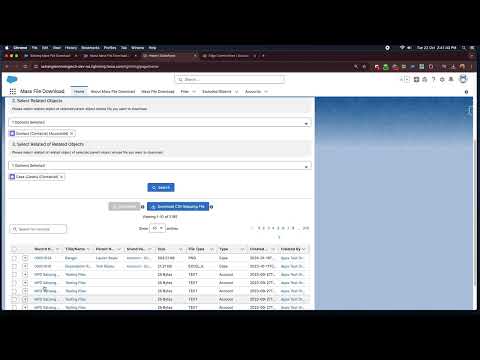
Choose records from a list view, use filters, search by keyword, or write a SOQL query to target exactly the records whose files you need.
Select Files, Attachments, Notes, Documents or any other entity type. Pick ZIP or folder structure. Filter by size, type, or date range.
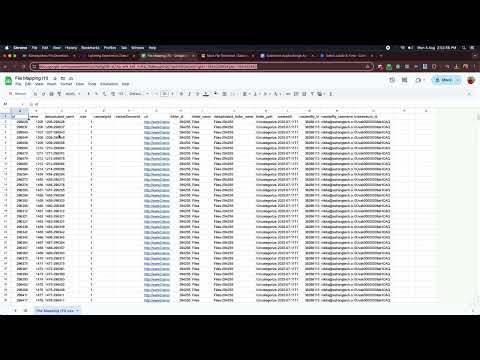
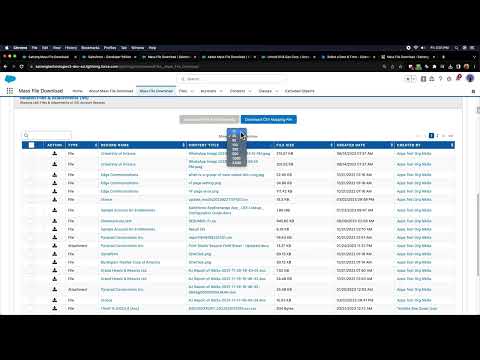
Hit download. Files arrive as an organized ZIP. Download up to 5,000 files per operation using the Lightning Tab, or 2,000 per batch in standard mode. A CSV mapping file is included for full traceability.
Select records from any Salesforce list view and export all related files instantly. Works on any standard or custom object.
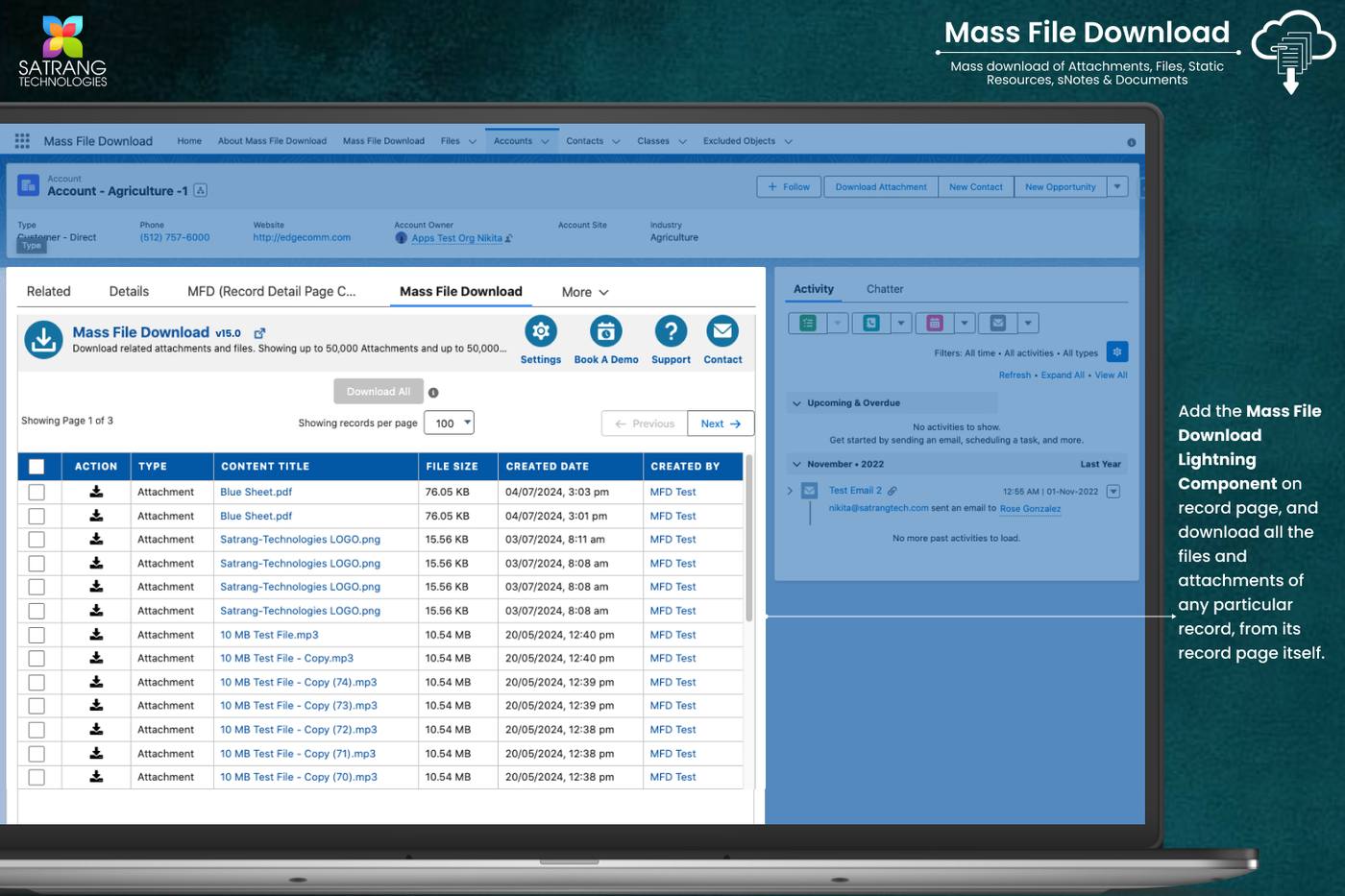
One-click download from a single record page. Download that record's files and attachments directly.
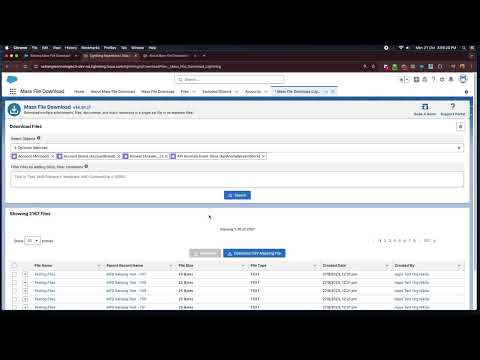
Filter by object, date range, file type, or any field. Write a SOQL query to target exact records with precise control.
LWC component that enables bulk downloads across multiple objects with up to 5,000 files in a single operation.
Embedded component on record pages - download from parent, child, and grandchild records all in one go.
Other methods to export Salesforce attachments require developer effort, have severe limits, or use third-party servers. Mass File Download is the only complete, native, no-code solution.
| Capability | Mass File Download | Data Loader | Manual Download | Other Apps |
|---|---|---|---|---|
| Download files in original format | ✓ | ✗ | Partial | Varies |
| Bulk download as ZIP | ✓ | ✗ | ✗ | Varies |
| 100% native - no third-party servers | ✓ | ✓ | ✓ | Often no |
| No-code, point-and-click UI | ✓ | ✗ | ✗ | Varies |
| CSV audit trail included | ✓ | ✗ | ✗ | ✗ |
| Works with all custom objects | ✓ | Partial | ✗ | Varies |
| Batch download (2,000 files/page) | ✓ | Partial | ✗ | Often capped |
| SOQL-based filtering | ✓ | Partial | ✗ | ✗ |
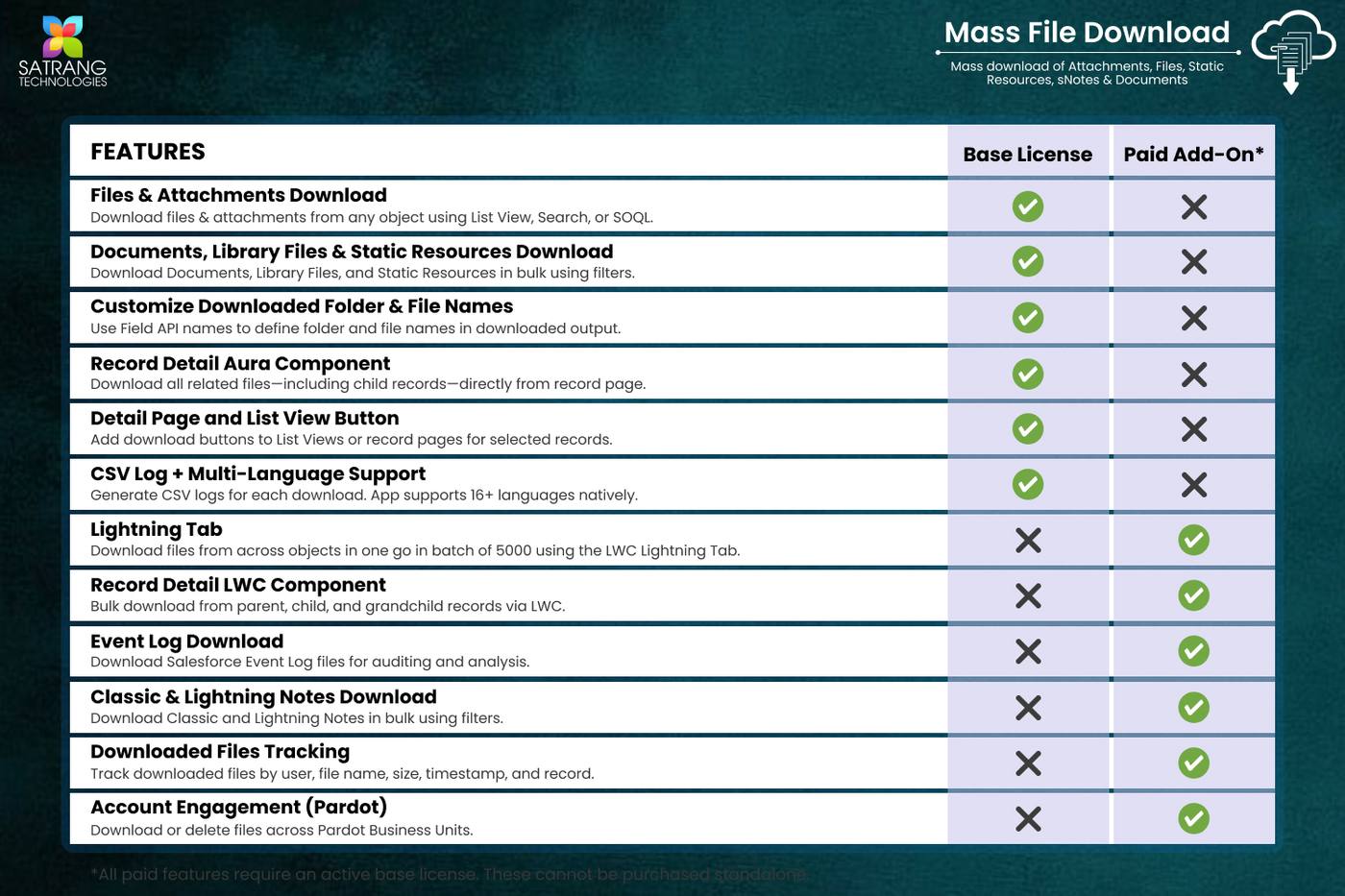
Mass File Download comes in three components suited to different use cases. The base tab is included with every license. The Lightning Tab and LWC Component are optional paid add-ons for higher volume and deeper record-level access.
| Feature | Mass File Download Tab Included in base license |
MFD Lightning Tab Optional paid add-on |
MFD LWC Component Optional paid add-on |
|---|---|---|---|
| Licensing | |||
| Base OR additional paid feature | Included with base license | Optional add-on (paid) | Optional add-on (paid) |
| Files & Attachments Download | |||
| Files (ContentDocument) download | ✓ | ✓ | ✓ |
| Attachments download | ✓ | Files only (no Attachments) | Files only (no Attachments) |
| Download Volume | |||
| Files per single operation | Up to 2,000 per batch, unlimited pagination | Up to 5,000 in one go | Up to 5,000 across 2-3 object levels |
| Multi-object download in one go | ✗ | ✓ | ✓ |
| Record Selection & Filtering | |||
| Filter records by SOQL | List Views, Basic Search, Advanced SOQL | SOQL queries | List Views, Search, or SOQL mode |
| Download from record detail page | ✗ | ✗ | ✓ |
| Download parent, child & grandchild records | ✗ | ✗ | ✓ |
The only 100% native Salesforce app that downloads all file types across any standard or custom object into organized ZIP folders. No scripts, no data loader, no code.
Every file is downloaded exactly as saved in Salesforce - original file name, extension, and format preserved. No conversion, no renaming, no data loss.
Select multiple records and download all their files and attachments in one organized ZIP - record-based folder structure included.
Files, Attachments, Classic Notes, Lightning Notes, Documents, Static Resources, Event Logs, Library Files, and Pardot Files. One native app, zero scripts.
Filter by object type, date range, record IDs, file size, owner or any Salesforce field. Download exactly the right files every time.
Works with Accounts, Contacts, Cases, Opportunities, and all custom objects. No configuration limits on object type.
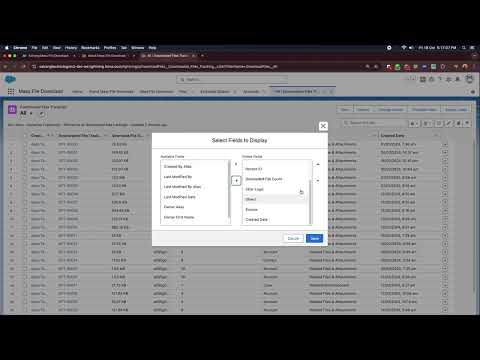
Add-on feature for full audit trail. See who downloaded what, when, and how much - audit-ready download monitoring built in.
Embed a download button directly on any record page. Download files from parent, child and grandchild records all at once.
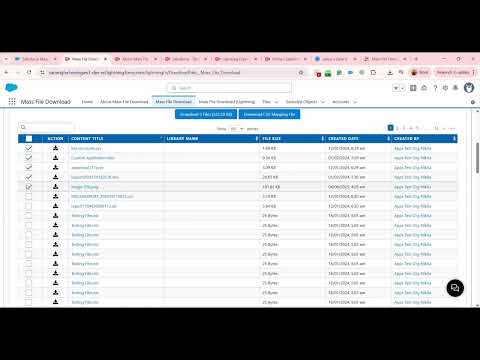
Download up to 5,000 Salesforce files across multiple objects in one go - built for high-volume, multi-object file exports.
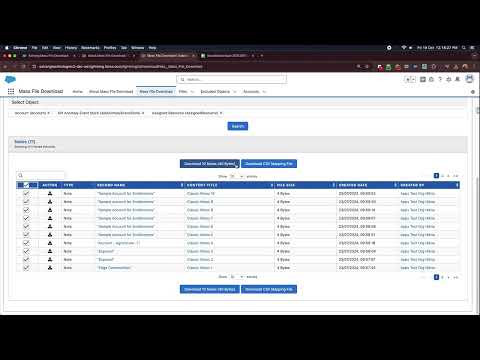
Bulk export both Classic Notes and Lightning Notes in organized folders. Preserve note content during org transitions or archival.
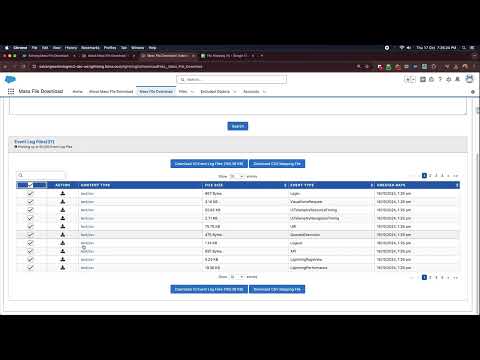
Export Salesforce Event Log Files in bulk for monitoring, audits or security analysis - quickly and securely in one operation.
Bulk export Pardot files directly from Salesforce. Purpose-built for Salesforce admins and marketing teams.
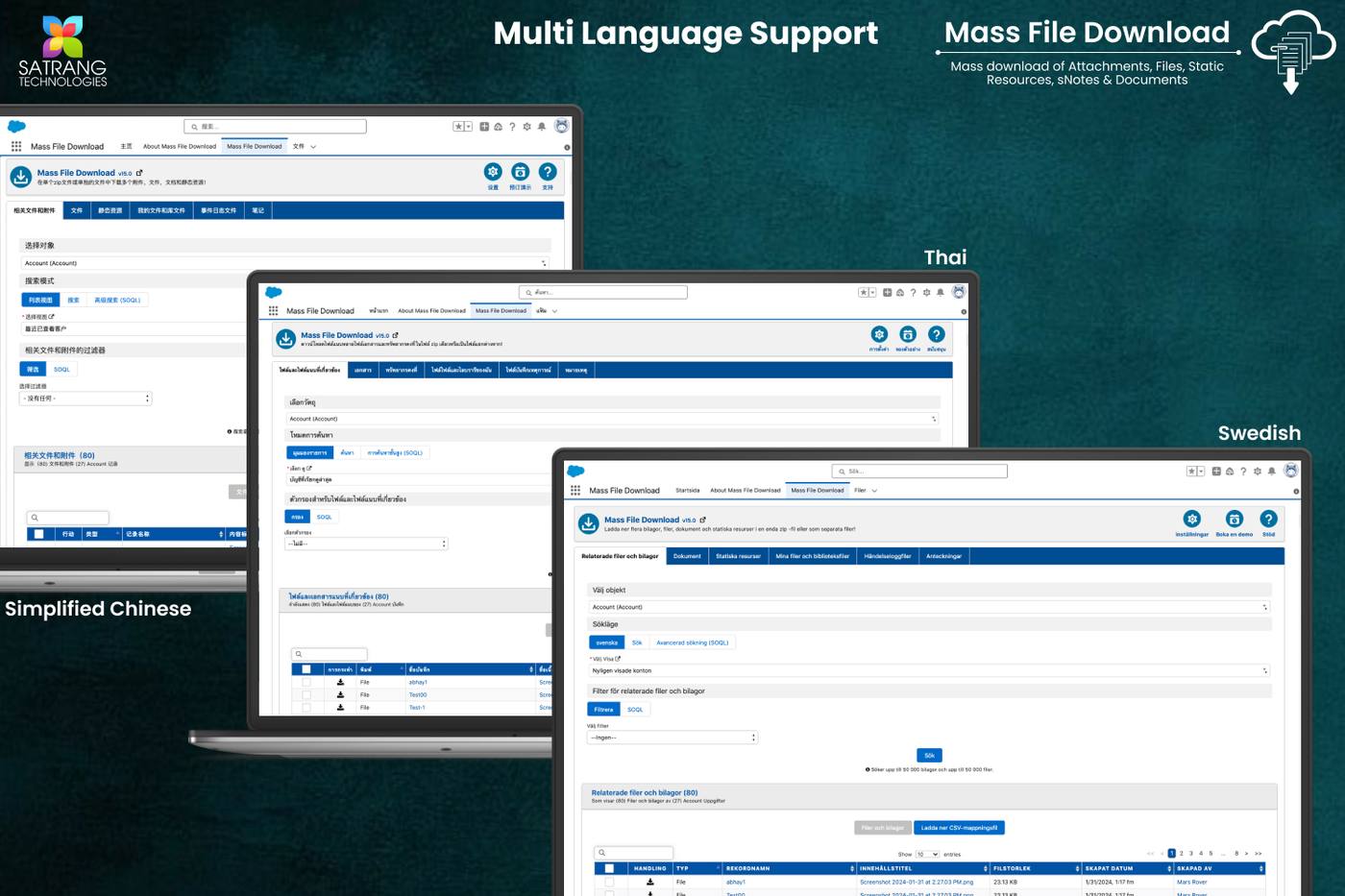
App UI supports 16 languages including Spanish. Trusted by Salesforce teams across 100+ countries worldwide.
AppExchange certified. Your data never leaves Salesforce. Full security model used throughout every download operation.
One app. All formats. Nothing left behind.
Click any screenshot to open fullscreen viewer with keyboard navigation.


9 tutorial videos on YouTube covering the full app from quick start to advanced add-on features.
No complex credit calculations. Purchase a base license for your team, add optional feature add-ons, and top up users any time. ACH, Wire, and Credit Card accepted.
Unlock specific capabilities on top of your base license. Each add-on is independently priced.
Download Salesforce Event Log Files in bulk for monitoring, security analysis, and audit trails.
Download both Classic and Lightning Notes. Ensure the org has Enhanced Note setting enabled for Lightning Notes compatibility.
Full audit trail for admins - track who downloaded what, when, file name, size, linked record, and timestamp.
LWC Lightning Tab to download up to 5,000 files across multiple objects in a single click - bypasses classic app constraints.
Embedded component on any record page. Download files from parent, child, and grandchild records all in one go.
Download Pardot files across business units individually or as ZIP. Includes up to 10 GB file download credit. Additional credits available.
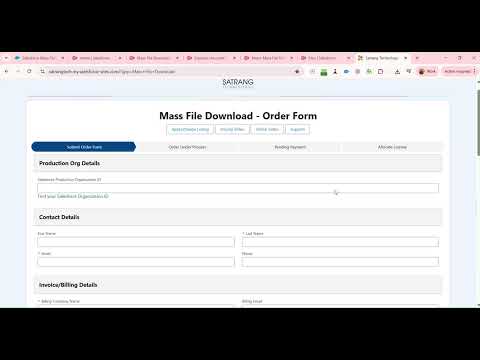
How to order: Select the app name, number of users, and number of years in the order form to place your order. For additional licenses beyond the base 4 users, or to add optional feature add-ons, contact us directly.
All reviews verified on Salesforce AppExchange. Click any card to read it on AppExchange.
Our business need was to download all files and attachments with their parent references from a Salesforce instance we were about to sunset. The tool came in handy and we were able to download all the files seamlessly. Highly recommend this utility if the need is critical and timeline is tight.
We needed a way to download invoice PDFs and other files tied to different records in Salesforce. Mass File Download was very user friendly, easy and quick to install, and our customer support team saved a significant amount of time per request by utilizing it.
We used Mass File Download to export data out of our Sage People HR solution before moving to another HR system. Satrang helped with non-standard custom objects and followed up to check if queries were resolved. The app is user-friendly and Satrang has created excellent guides and videos.
Purchased this tool because we were closing a Salesforce instance and integrating the documents into a different instance. This tool was amazing and easy to use. Highly recommend this for mass movement of documents - it delivered exactly what we needed.
Tool highly recommended, easy to use and helped us a lot in the task we needed. The team at Satrang was responsive and helped us configure it for our specific use case. Would definitely use again for future projects.
Needed a SOQL query that worked to sort out certain files in a mass download. Nikita Meshram and her team were able to help me do so successfully! The support was prompt and the solution was exactly what I was looking for to complete the download.
We have documented every question our users have asked. Browse all FAQs on our knowledge base or read the most common ones here.
Browse All FAQsFill in the form and we will reply within one business day with a personalized demo tailored to your file download scenario.
We build native, no-code Salesforce tools loved by admins and teams worldwide. Hover any app to learn more.