Bulk upload files to multiple Salesforce records and libraries in a few point-and-clicks. Drag and drop, CSV record mapping, SOQL filtering. No code, no scripts, no manual uploads one by one.
Trusted by Salesforce teams worldwide - from global enterprises to growing businesses across every industry.


From Healthcare and Financial Services to Manufacturing and Government - trusted across 12+ industries worldwide.
Mass File Upload works natively across every major Salesforce product and cloud - no integration required.
Mass File Upload is a 100% point-and-click Salesforce app. No development needed, no third-party servers. Your files are uploaded directly into Salesforce without leaving the platform.
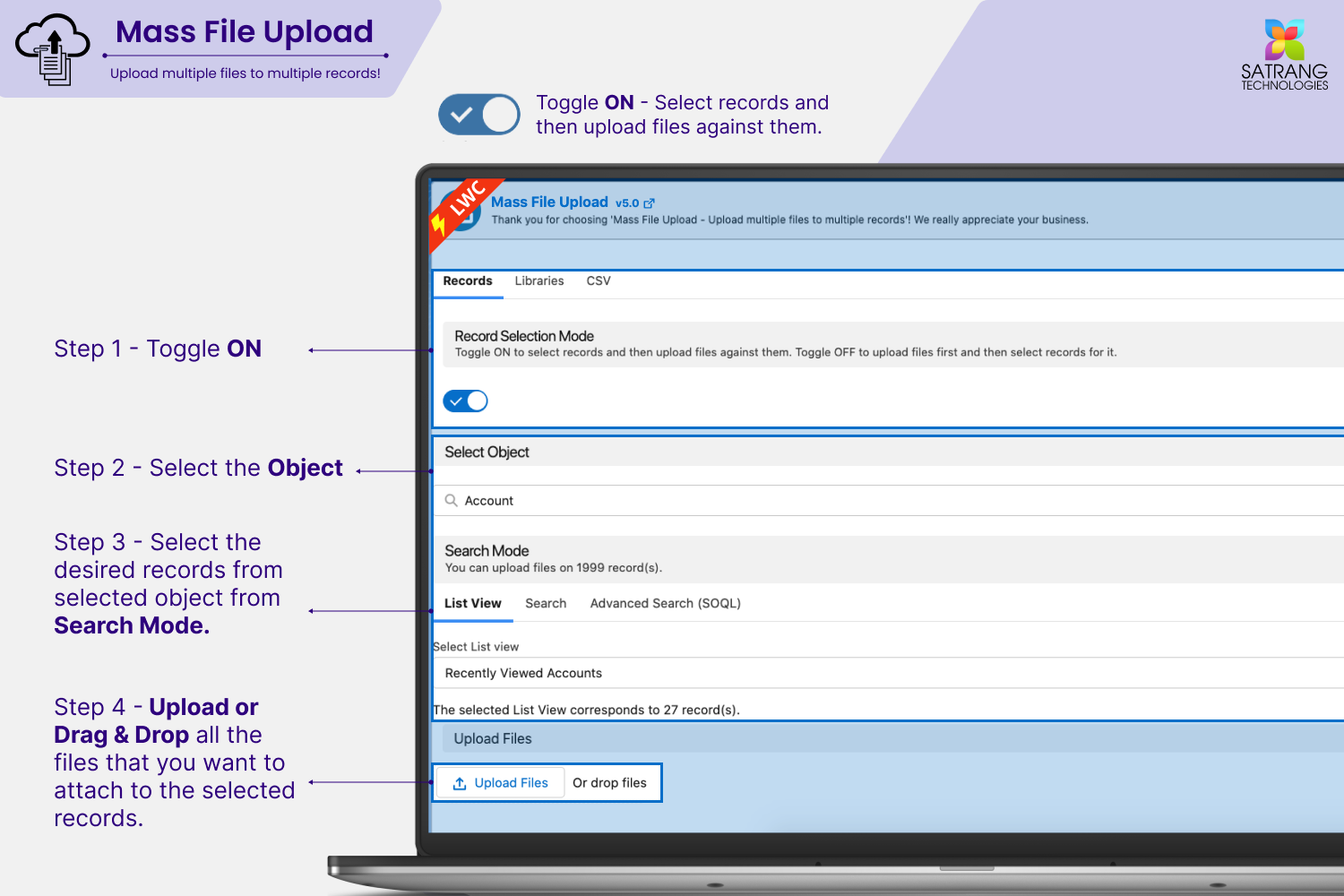
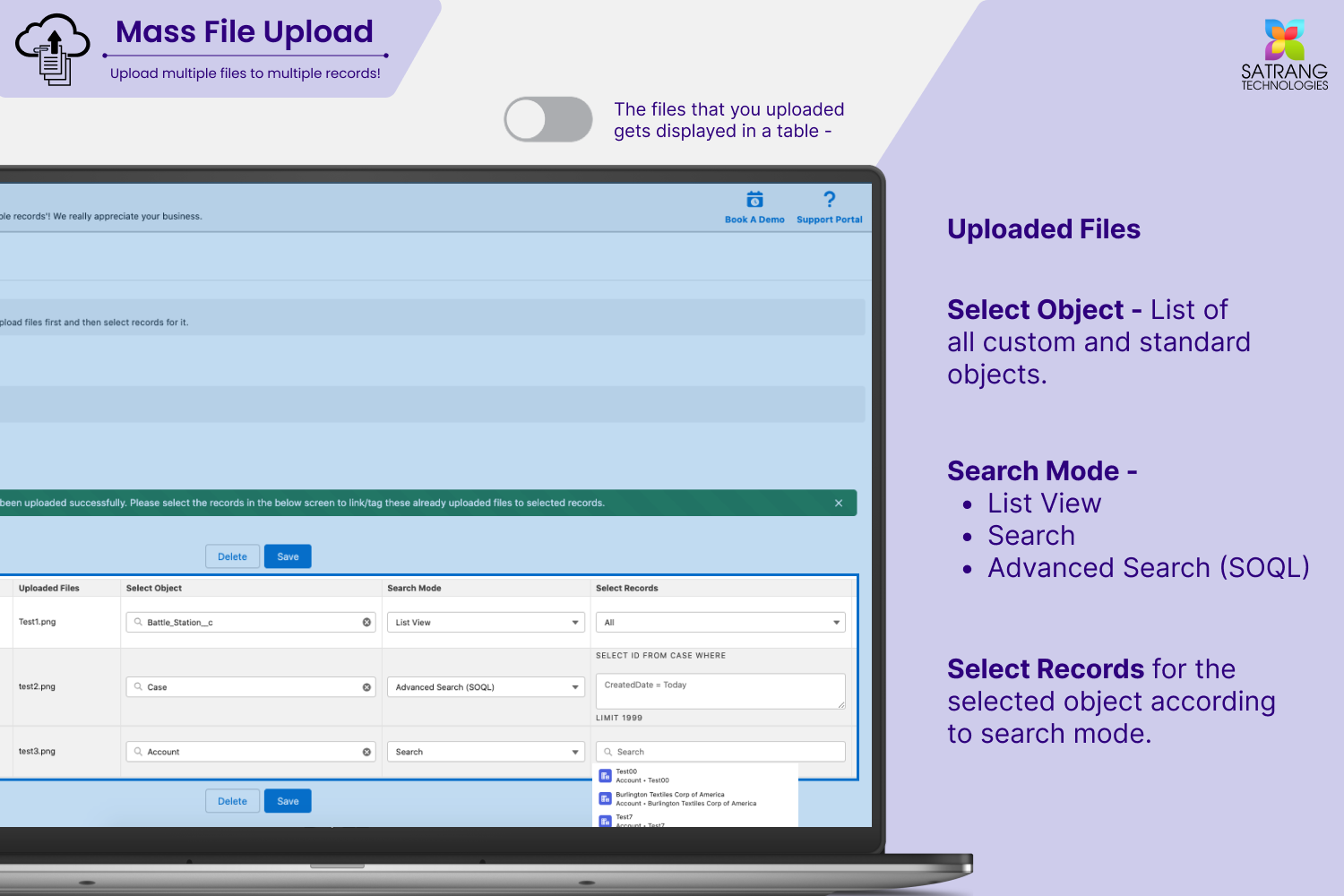
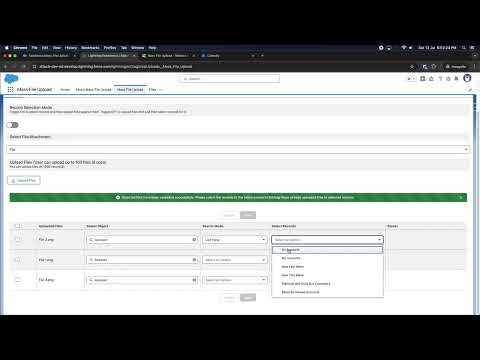
Choose records from a list view, use a keyword search, or write a SOQL query to target exactly the records you want to upload files to.
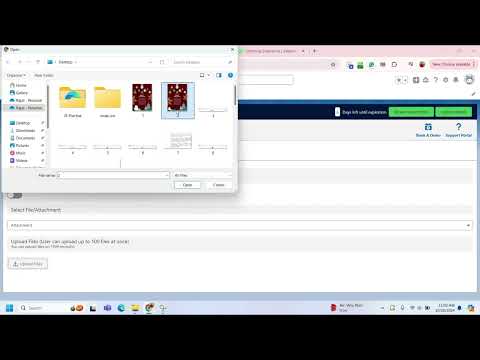
Drag and drop files directly, browse to select them, or use CSV record mapping to link files to specific record IDs in bulk.
Hit upload. All selected files are instantly attached to the chosen Salesforce records or libraries. No waiting, no scripts, no manual one-by-one uploads.
Select records from any Salesforce list view and upload files to all of them at once. Works on any standard or custom object.
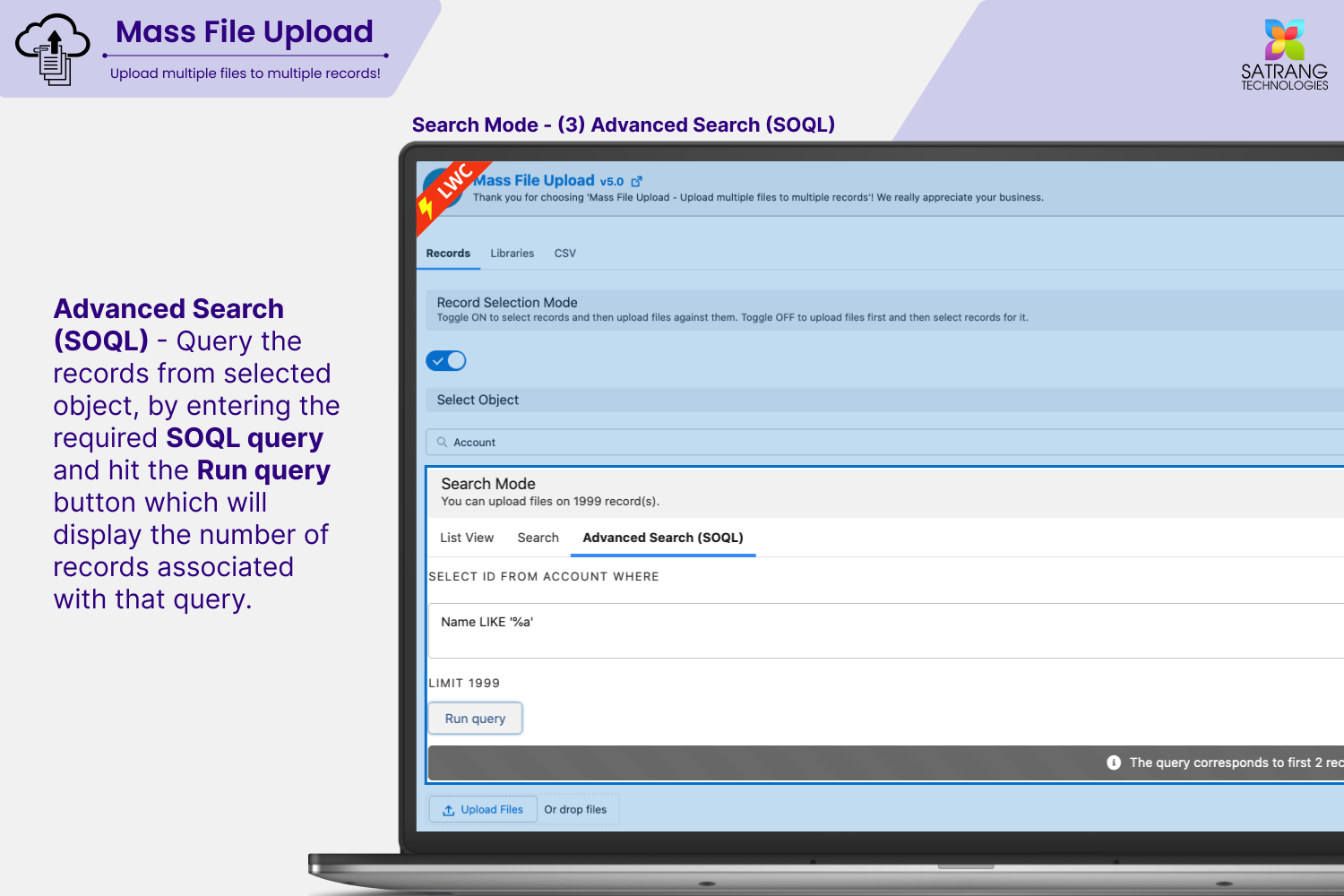
Filter records by keyword, object, or write a SOQL query to target exact records. Upload to precisely the right set without any manual selection.
Simply drag and drop files directly onto selected records. Clean, intuitive interface with no technical know-how required.
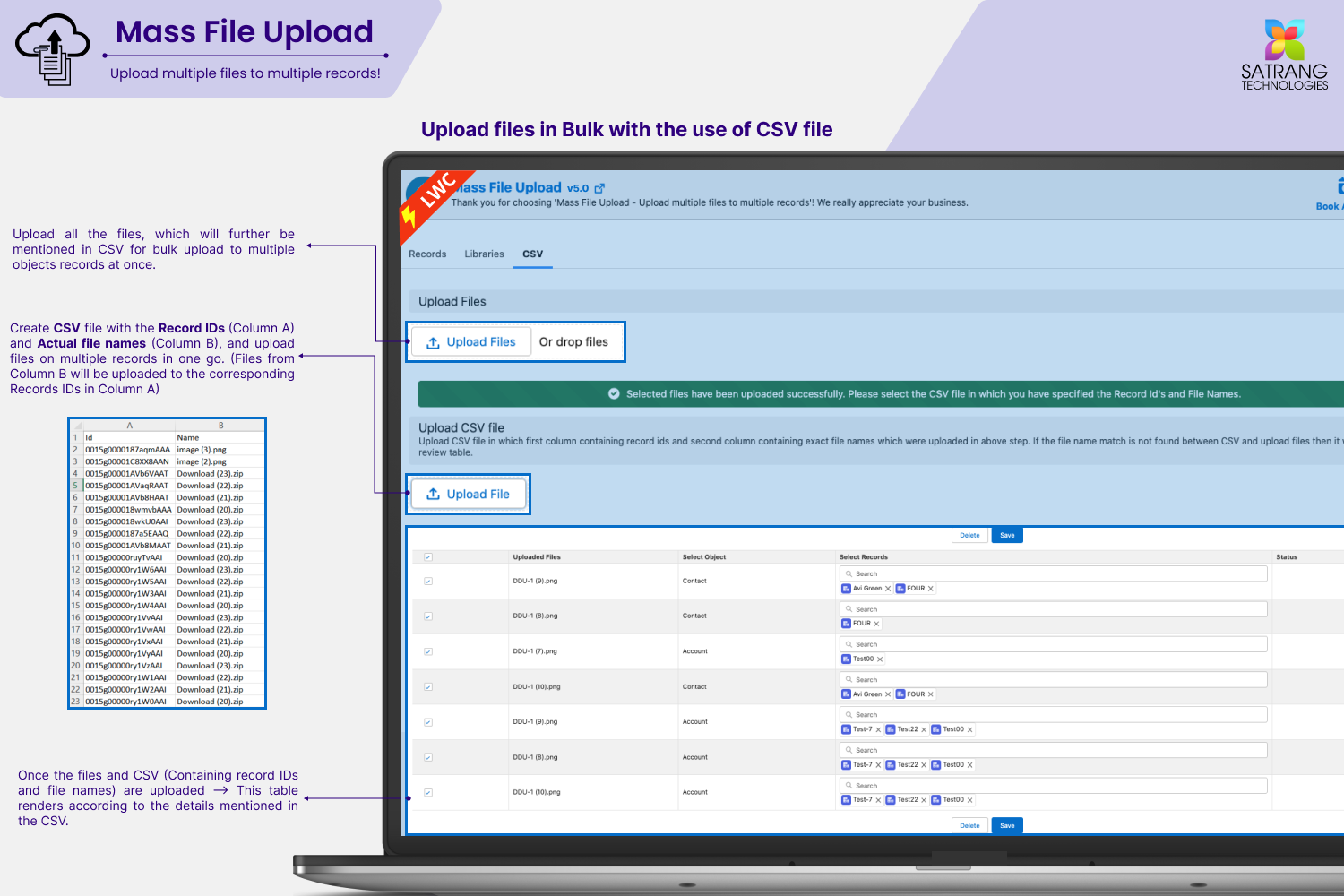
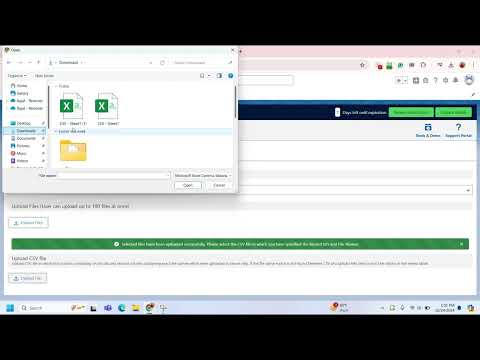
Create a CSV with record IDs and file names, upload the CSV alongside files, and the app links every file to the correct record automatically.
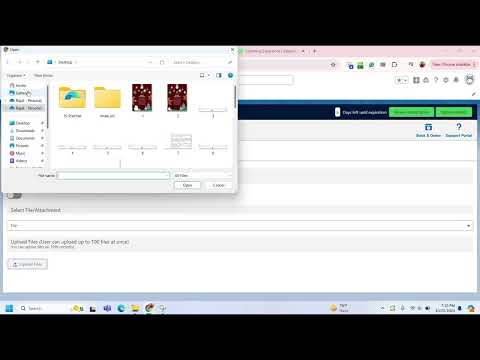
Switch from Lightning to HTML upload mode to upload up to 100s of files at once, overcoming Salesforce Lightning upload limitations.
Other methods to bulk upload files to Salesforce records require developer effort, API access, or external tools. Mass File Upload is the only complete, native, no-code solution built for Salesforce admins.
| Capability | Mass File Upload | Data Loader | Manual Upload | Custom Dev |
|---|---|---|---|---|
| Upload files to multiple records at once | ✓ | ✗ | ✗ | Varies |
| Drag and drop file upload UI | ✓ | ✗ | One at a time | ✗ |
| 100% native - no third-party servers | ✓ | ✓ | ✓ | Often no |
| No-code, point-and-click for admins | ✓ | ✗ | ✗ | ✗ |
| CSV-based bulk file linking to records | ✓ (Add-On) | Partial | ✗ | Requires dev |
| Works with all custom objects | ✓ | Partial | ✗ | Varies |
| Upload to Salesforce Libraries | ✓ | ✗ | One by one | Varies |
| SOQL-based record selection | ✓ | Partial | ✗ | ✗ |
The only 100% native Salesforce app that uploads files to multiple records and libraries in clicks. No scripts, no API calls, no code. Just point, click, and upload.
Select any number of Salesforce records and upload files to all of them at once. No more uploading one record at a time - save hours every week.
Upload files directly to Salesforce Libraries in bulk. Easily search for the right library using the advanced SOQL search feature before uploading.
Filter records by object type, field values, date range, or any Salesforce criteria using SOQL. Target precisely the records you need without manual selection.
Add the Mass File Upload button to any Salesforce list view. Select records directly from the list view and start uploading with one click.
Intuitive drag and drop file upload directly onto selected records. No technical knowledge needed - clean and simple for any Salesforce user.
Choose whether to upload files as Salesforce Content (default) or as Attachments. The Attachment add-on gives users the flexibility to decide on the spot.
Create a CSV file with record IDs and file names, upload it alongside the files, and the app automatically links each file to the correct record.
Overcome Salesforce Lightning upload limits. The HTML upload add-on lets you upload hundreds of files in one go - far beyond the standard 10-25 file Lightning limit.
Works with Accounts, Contacts, Cases, Opportunities, and every custom object in your org. No configuration limits on object type.
AppExchange certified. Files are uploaded directly into Salesforce without ever touching a third-party server. Full Salesforce security model applied throughout.
App UI supports multiple languages. Trusted by Salesforce teams across global enterprises - designed for international use from day one.
Easy to install, easy to configure, easy to use. Teams across Marketing, Customer Success, and Operations can hit the ground running without any training.
One app. All upload methods. Nothing left behind.
Click any screenshot to open fullscreen viewer with keyboard navigation.


Tutorial videos on YouTube covering the full app from quick start to advanced add-on features.
Straightforward per-user pricing. Purchase a base license for your team, add optional feature add-ons, and scale users any time. ACH, Wire, and Credit Card accepted.
Unlock specific capabilities on top of your base license. Each add-on is independently priced.
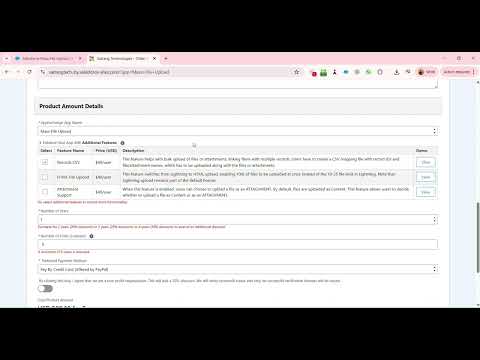
When this feature is enabled, users can choose to upload files as an Attachment. By default files upload as Content. This add-on gives users the flexibility to decide upload format each session.
Switches from Lightning to HTML upload, enabling hundreds of files to be uploaded at once instead of the 10-25 file Lightning limit. Lightning upload remains part of the default license - this add-on expands capacity dramatically.
Bulk upload files or attachments and link them to multiple specific records using a CSV mapping file. Create a CSV with record IDs and file names, upload it alongside the files, and the app handles all the linking automatically.
How to order: Select the app name, number of users, and number of years in the order form to place your order. For additional licenses beyond the base 5 users, or to add optional feature add-ons, contact us directly.
All reviews verified on Salesforce AppExchange. Click any card to read it on AppExchange.
The Satrang team were wonderful to work with! We purchased the mass download and upload tools, installed last week and already have been able to leverage, saving time downloading and uploading files. The onboarding process was very smooth, the team was very responsive and helpful. There is a lot of great flexibility with this product to search and select records. The price is also really great, well worth it in time savings. Highly recommend!
If you need to do mass File Uploads, then look no further. We had two specific use cases for our Marketing Team and Customer Success Team. We were able to install and configure really fast. We had one tech question which was answered really fast! And then we deployed to users and delighted the entire team. Highly recommend!
We have documented every question our users have asked. Browse all FAQs on our knowledge base or read the most common ones here.
Browse All FAQsFile upload guides, best practices and product updates from the Satrang team.
We are publishing file upload guides, how-tos and Salesforce best practices. Once articles are published and tagged to this product, they will appear here automatically.
Fill in the form and we will reply within one business day with a personalized demo tailored to your file upload scenario.
We build native, no-code Salesforce tools loved by admins and teams worldwide. Hover any app to learn more.