Introducing a dynamic lightning component designed to effortlessly search for records from any Salesforce object. Customizable, configurable, and free forever on AppExchange.
Trusted by Salesforce teams at IBM, Salesforce, Auburn University, Wolters Kluwer, Pathward, Merchants Fleet, Loopio and many more organisations across 40+ countries worldwide.


Used by Salesforce admins, developers, and operations teams across all major industries who need flexible, configurable lookup components.
One free Lightning component to search and retrieve records from any Salesforce object. Configurable, customizable, and built for Lightning Experience.
Search for records from any standard or custom Salesforce object. The component dynamically queries whichever object you configure, giving you complete flexibility across your entire org.
Built as a native Lightning Web Component, LEX Lookup integrates seamlessly into Lightning Record Pages, App Builder layouts, and custom LWC applications without any coding required from you.
Enter multiple values separated by commas in the fieldAPIName attribute to search across corresponding fields' data simultaneously. Power users get surgical, multi-field lookup precision.
Narrow down search results using configurable filters. Control which records appear in the lookup results and ensure users always find the right records at the right time.
Add LEX Lookup directly into Salesforce Screen Flows. Enable declarative workflows to reference and retrieve records dynamically without any custom Apex or development work.
Add LEX Lookup as a Button or a Lightning Component on your record page in Lightning UI. Flexible deployment options let you choose the interaction pattern that fits your users best.
Users can select a record type when creating a new record via the LEX Lookup Button or Component. No need to navigate away or open separate creation screens to pick the right type.
Place the lookup component on any Lightning Record Page for any object. Leads, Contacts, Accounts, Opportunities, and all custom objects are fully supported out of the box.
No credits, no subscriptions, no order forms. Install directly from AppExchange at zero cost. All features fully available with no usage caps or restrictions of any kind.
Loved by literally all users for its incredible time savings. Super easy to install and provides an amazing level of functionality that makes day-to-day record searches effortless.
Reviewed and certified by Salesforce AppExchange Security Review. Your data never leaves Salesforce infrastructure. Fully respects your org's security model and field-level permissions.
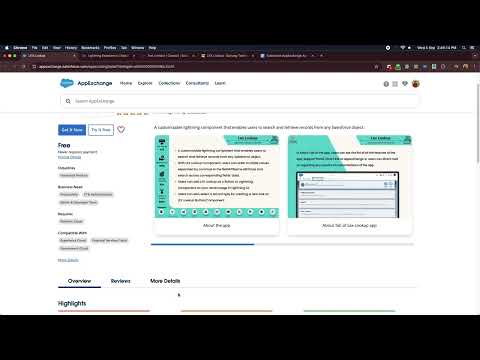
Full user guide and configuration guide on the Satrang Technologies help center. Step-by-step instructions covering installation, setup, and all usage scenarios with screenshots.
One free component. Every way to find records.
No code, no development work, no custom Apex. Just configure and deploy the lookup component inside Salesforce Lightning.
Install LEX Lookup directly from Salesforce AppExchange in your production or sandbox org. No subscriptions, no fees. Get it free in minutes with no admin approval required.
Open Lightning App Builder and drag the LEX Lookup component onto any Lightning Record Page. Works on standard object pages and all custom object pages in your org.
Set the target Salesforce object, configure search filters, and specify which fields to display in results. All done through the App Builder component property panel.
Users can now search for records from the configured object directly from the page. Fast, intuitive, and no additional Salesforce navigation required from users.
Click any screenshot to open the fullscreen viewer with keyboard navigation.


Full user guide video on YouTube showing LEX Lookup in action with setup, configuration, and real usage examples inside Salesforce Lightning.
Real reviews from verified AppExchange users. Every review is publicly listed on Salesforce AppExchange.
How teams use LEX Lookup to simplify record searches and reduce time spent navigating Salesforce every day.
Find answers to the most common questions below. For more detailed support, visit our Freshdesk help center or reach out directly to the Satrang Technologies team.
View All FAQsHave a question about how the component works, need help with configuration, or want to understand how LEX Lookup fits into your specific Salesforce implementation? Reach out directly.
Powerful native Salesforce tools built by the same team. Click any app to learn more.
100% native. AppExchange certified. Free forever. Hover any app to learn more.