Is One Click Update really free? +
Yes, One Click Update is completely free forever on Salesforce AppExchange. There are no subscriptions, no credits to purchase, and no order forms. Install it directly and use all features at no cost.
Which Salesforce Objects does it support? +
One Click Update supports all Salesforce Objects, both standard and custom. You can use it to update picklist fields on Leads, Contacts, Accounts, Opportunities, Cases, and any custom objects in your org.
Can I update multiple records at once? +
Yes. You can select multiple records using any of the four search methods (Record Name, List View, SOQL, or CSV) and apply a picklist update to all selected records simultaneously with a single click.
What is the CSV upload method? +
The CSV upload method lets you prepare a file of Salesforce record IDs and upload it into the app. The app fetches all the records from that list and lets you apply a picklist update to all of them in one click. Ideal for data cleansing and batch corrections.
How do I add it to a Lightning Record Page? +
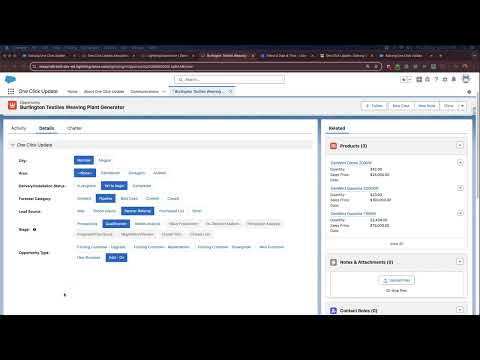
One Click Update provides a Lightning Web Component (LWC) that can be added to any Lightning Record Page through the App Builder. Drag it onto the page layout and configure which picklist field to show. Users can then update the field directly from the record page.
Can I use custom field API names? +
Yes. You can override the default fields shown in the app by specifying custom field API names. This gives you full control over which picklist fields appear in each context, and lets you tailor the app to your org's specific data model.
Which Salesforce editions does it support? +
One Click Update is a 100% native Salesforce application and works across all major Salesforce editions including Professional, Enterprise, Unlimited, and Developer editions. It runs entirely within your Salesforce org.
Does the app work with Salesforce Classic? +
Yes. The app provides both a Lightning Web Component (LWC) for Lightning experience and a Visualforce Component for orgs using Salesforce Classic or mixed environments. Both deployment patterns are fully supported.